

How to Create an Account
To access and use the ISEF App you will need to create an account. This can be done at your organization’s ISEF.app site or at ISEF.app. Creating an account is free and only takes a few minutes. Students, Parents, Teachers, SRC Members, IRB Members and those asked to sign or approve a workbook or ISEF form will all need to create an account.
For Students we recommend that you use a non-school email address so your password can be recovered if you lose it.
- Go to ISEF.app
- Click on Sign up for free
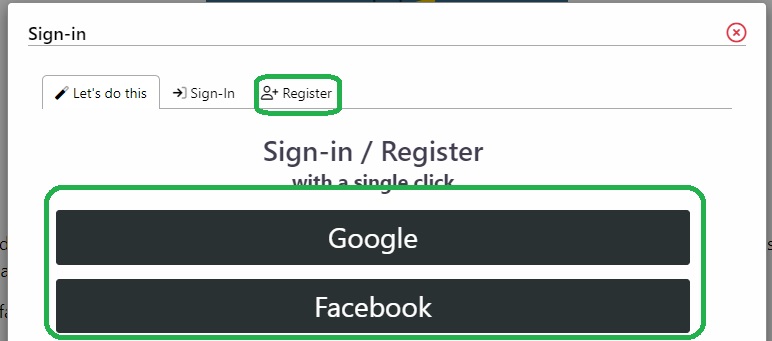
- Register with Google, Facebook, or another 3rd party. *Recommended*
- Click option (Google) follow prompts done.
- Or Register without using a 3rd party.
- Click on the Register tab
- Fill out all of the required information
- Press the Register button at the bottom of the form.
- Now you will need to sign in with the email and password you just used.
- Fill out your Email & Password
- Click the Sign-In button
That’s it.

Start your paperwork now!
Create your free account and begin your filling out your forms, today!

Navigate your science fair and ISEF paperwork with the free, online ISEF App. This easy-to-use digital workbook eliminates stacks of forms, allowing students to dedicate their time and energy to their research project.